
Claims come back short
You submit RM 280,000. They certify RM 241,000 — with no explanation, and the shortfall is yours to chase.
For Malaysian subcontractors
ProClaim runs your monthly claim from BOQ to certified claim. Your QS builds it in a fraction of the time, and you see every ringgit claimed, certified and paid.
Live on real projects in KL and Sabah.
The problem
You submit RM 280,000. They certify RM 241,000 — with no explanation, and the shortfall is yours to chase.
BOQ, carry-forward, taking-off, rebuilt by hand in Excel. One wrong cell and the whole claim is off.
Discrepancies tracked across email and WhatsApp. By the time the MC certificate lands, the detail is gone.
How it works
Your QS works in it. You see everything. The full monthly cycle in one place.
Bring in the bill once. Bill, section and item hierarchy, ready to claim against.
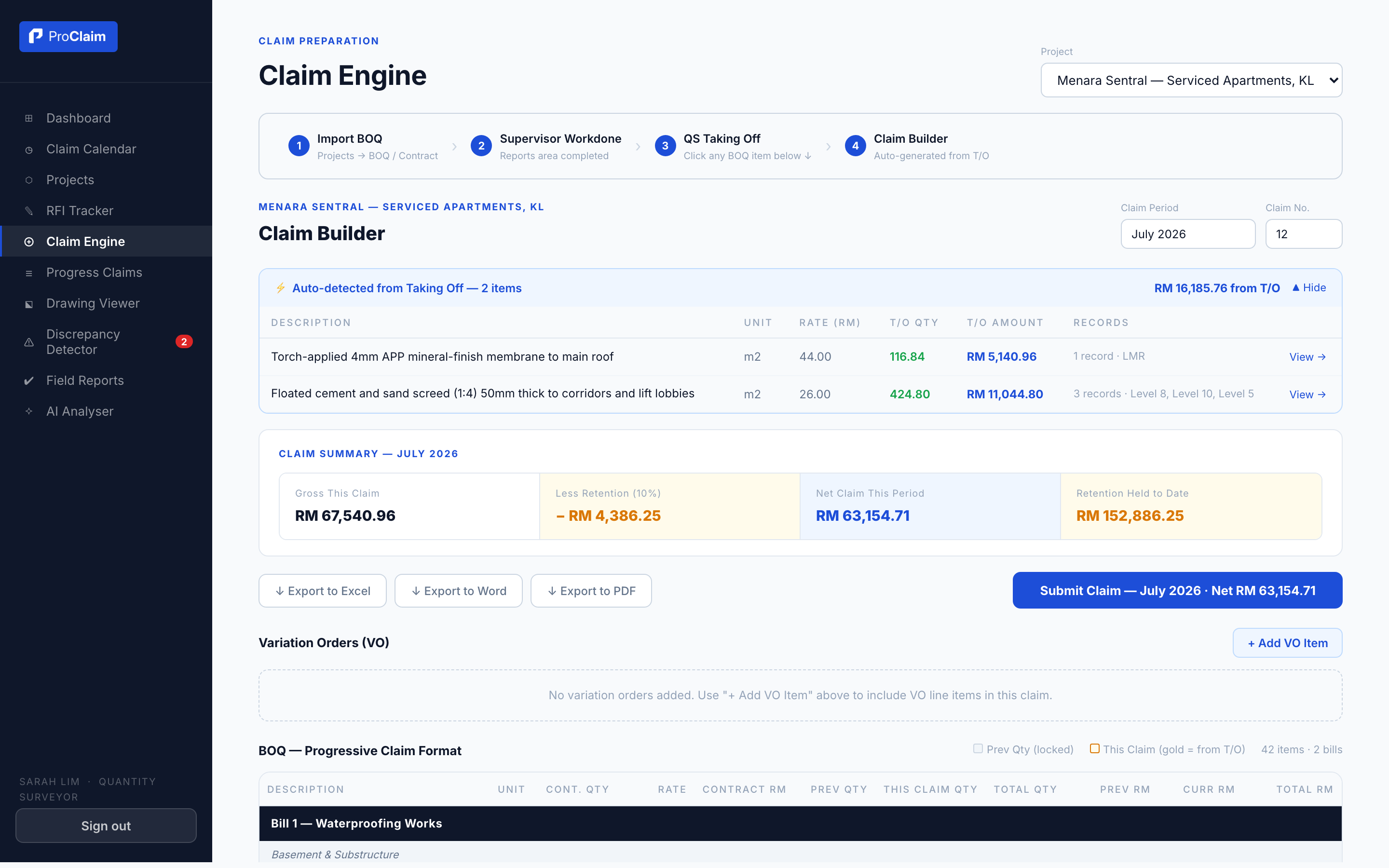
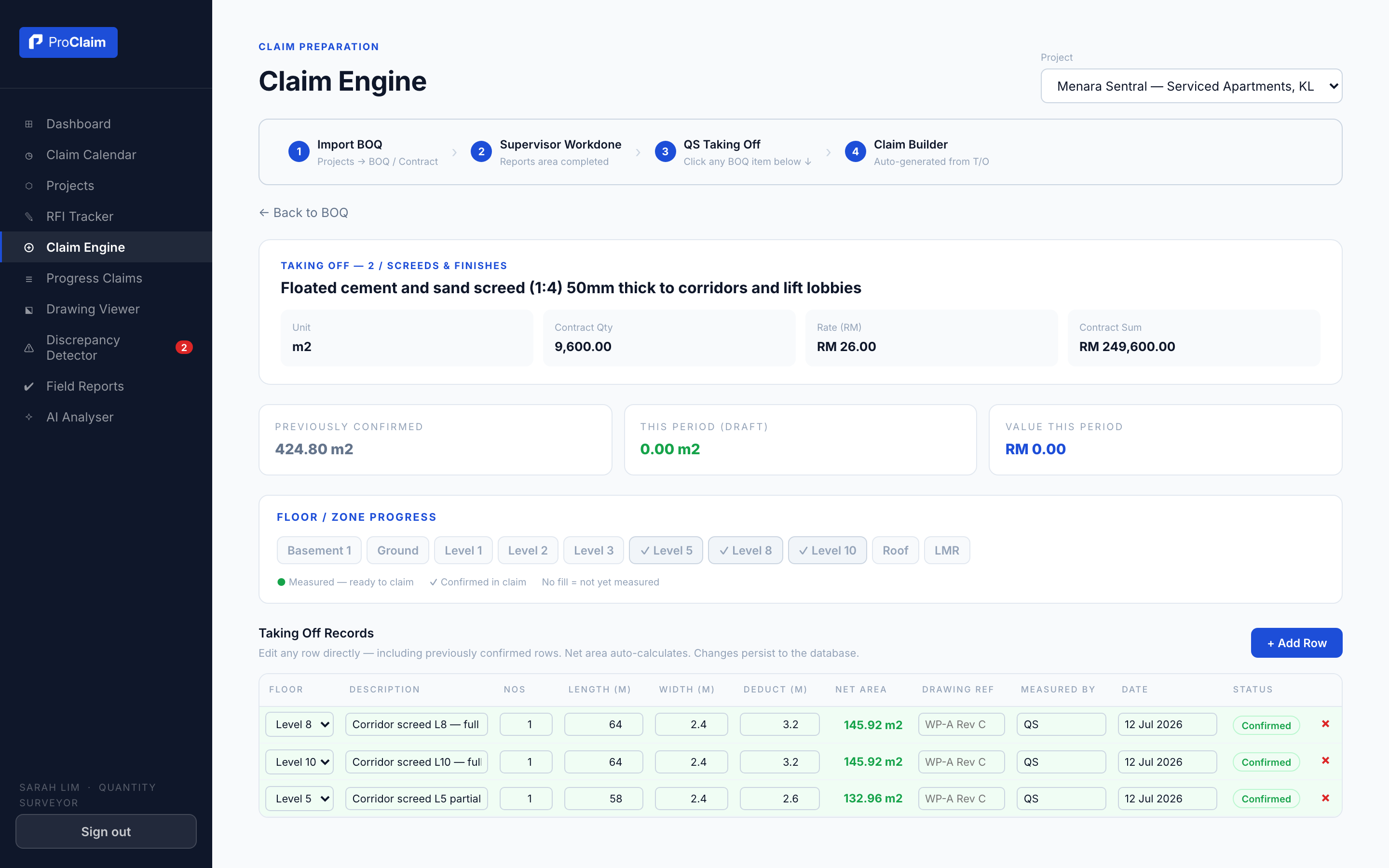
Taking-off works like Excel. Carry-forward and cumulative amounts are calculated for you.
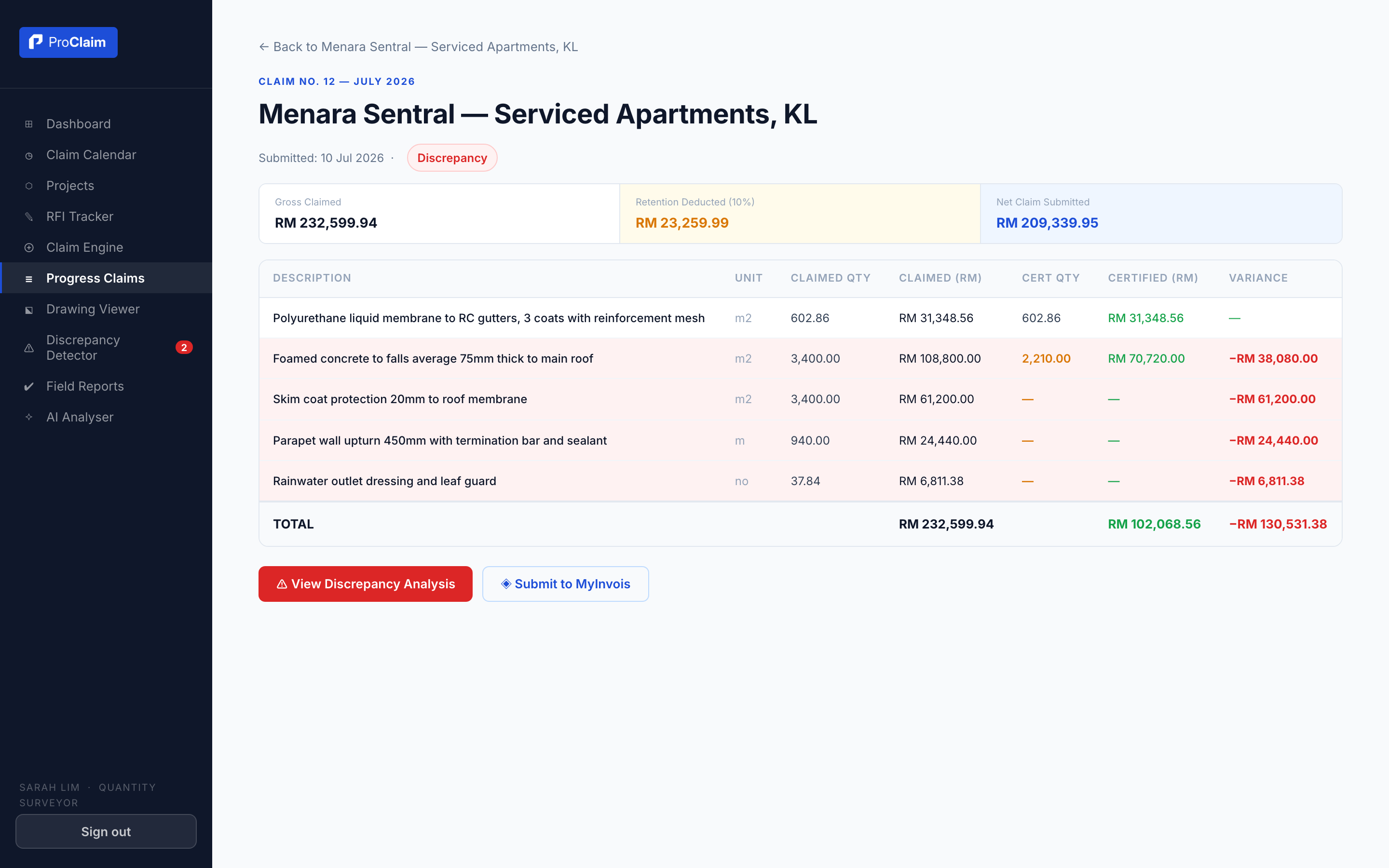
Log the MC certificate. Every discrepancy between claimed and certified is flagged, line by line.
Cover letter, payment certificate and backup — exported to PDF, Word or Excel.
Inside The Product
These are actual screens from ProClaim, running a demo project.
Now Live · Meet Kira
Kira is the assistant built into ProClaim. Ask about any claim, certificate or payment in plain language and she answers from your live project data. The name is the Malay word kira: to count, to calculate, to reconcile.
Why was Menara Sentral claim 12 short-certified?
What is still outstanding on this project?
Show me claim 12
Ask in plain language. Kira reads your data and replies, or opens the screen for you.
For The Users
ProClaim is not only for the QS. Everyone in the claim cycle works in the same system, on the same numbers.
Builds the monthly claim without the Excel rebuild. Taking-off, carry-forward and the submission export are handled.
Reports work done from site, by BOQ item and floor, so the claim starts accurate.
Tracks certificates, retention and payments. Admin sets up the company and controls who sees what.
Sees every project's claimed, certified and paid position live, without asking for a report.
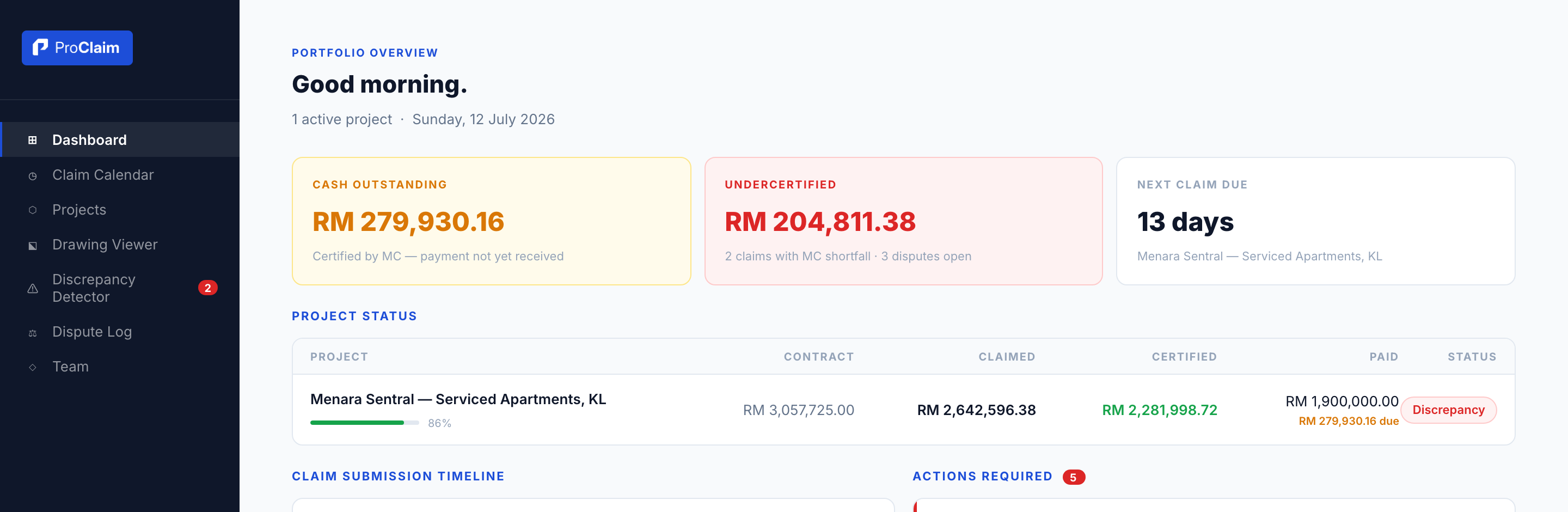
The Director view: cash outstanding, undercertified amounts and every project's position, live.
What's inside
Import and structure the bill. Bill, section, item.
Works like Excel. Add rows, edit, delete, per-floor dimensions.
Carry-forward and cumulative amounts, handled for you.
Claimed vs certified, discrepancies flagged line by line.
Retention, cumulative payments and certificate history.
PDF, Word and Excel. Submission-ready.
Director, PM, QS, supervisor, finance — each sees their part.
Certified data is locked. Nothing disappears.
Works with what you already use
In development now. The numbers always stay yours to confirm.
Parse the bill straight from Excel or PDF, mapped to bill, section and item.
Pull quantities directly from demarcation drawings into the taking-off.
Built by an industry professional with over 10 years in the Malaysian construction industry, not a software lab.
It speaks BOQ, MC certificate and LOA — not tickets and pipelines.
Export any claim at any time. Certified records are locked and audit-ready.
A 30-minute walkthrough with your numbers and your claims. WhatsApp us and we will set it up.
WhatsApp 010-453 9315Prefer we contact you? Leave your details.
Common Questions
Pricing is agreed per company during the pilot stage. WhatsApp us, see it on your own BOQ, and we will talk numbers after that.
Your company's data sits in its own isolated account, enforced at the database level. Only people you invite can see it. Your numbers are never shared.
No. Run ProClaim alongside your current Excel process. Exports come out in Excel, Word and PDF, so everything downstream of you stays the same.
We load your BOQ and project structure for you during onboarding. Your QS can build a claim on day one.
An industry professional with over 10 years in Malaysian construction, running claims on live projects in KL and Sabah. ProClaim is a product of Khye Ventures Sdn Bhd.